

To add a new client and seek credit approval, simply enter the client name and contact persons details. Then send the online credit application and agreement via Adhub by following the steps below. MPS will complete the client details and assess credit from the application returned by the client.
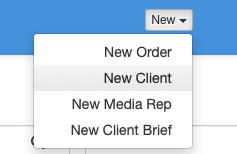
To add a new client, click New Client from the top task bar. The Add Client screen is displayed.
Enter the client’s trading name in the Business Name field (mandatory).
Scroll down to Linked People. Click the + Create a New Person button. Create the New Person by entering name and email address. Click the Save button to save the new contact.
Click the Save button to save the new client record.
Go to Clients on the left task bar. Find and select the New Client. At top right click the Send Credit Application button.

Your client contact has now been sent an email with a link to the online credit application and agreement with instructions for completion. When returned, MPS will complete the onboarding process, keep you updated, and send an account introduction to the client when credit is approved.
In the meantime, Media proposals can be added and will be sent to the media after credit approval is given.
Checklist
- select New Client from top task bar.
- enter mandatory Business Name.
- add a contact person and click Save on the Person box.
- click Save to save the new client.
- click Send Credit Application.
