

To view your client list, click the Clients link on the left side task bar. The client summary screen is displayed showing each client’s account status, credit limit and current booking totals.
Use the search box and filters at the top of the summary screen to refine the client list.
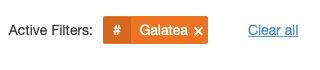
Clear an active filter by clicking the X symbol located next to the filter, or select Clear All to reset all filters.
Each column can be sorted by clicking the column name. The arrow next to the name shows the active sort column and the order direction of the sort.
To view a client record, click on the client name link.
To edit a client, click the Manage pencil icon located on the right side of each row.