

How to Add a New Media Rep Contact
Unable to find a rep contact in the media directory? No problem, the New Media Rep function allows you to quickly add new media and new media rep contacts.
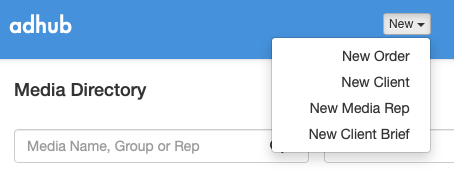
To add a new media rep contact, click New Media Rep from the top task bar.
The Add New Media Rep Contact screen is displayed. The screen contains the following 3 steps – Media (1), Media Sales Group (2), and Contact Details (3).
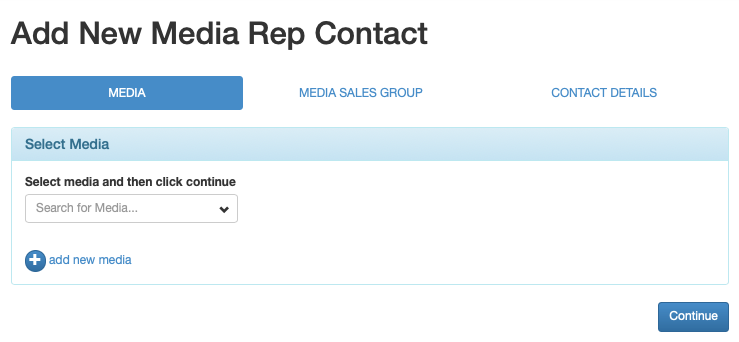
Step 1 – Media
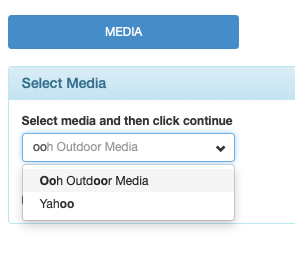
Search for the Media Name by entering part or all of the name in the search box, and select it from the drop down list.
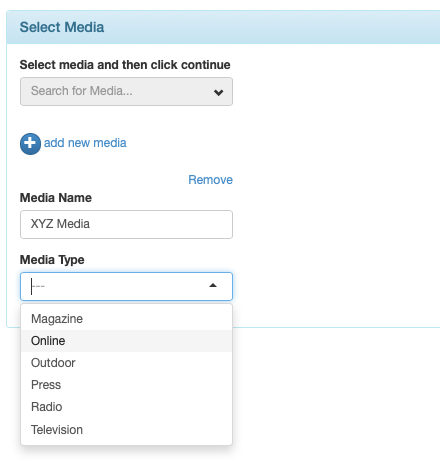
If the search fails to find the Media in the adhub media directory then click  Add New Media. The Media Name and Media Type entry fields will be displayed. Enter the new Media Name and select the Media Type.
To move to the next step, click Continue button at bottom right.
Step 2 – Media Sales Group
Select the Media Sales Group name from the drop down list.

To move to the next step, click Continue button at bottom right.
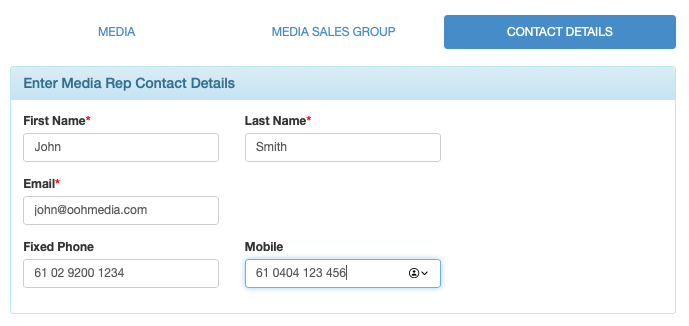
Step 3 – Contact Details
Enter the media rep name, email address and contact numbers.
To complete click the Save button at bottom right.