

To delete an order click the Orders link on the left side task bar. The orders list is displayed.
Click on the required order to select it. The order view screen is displayed.
Click the Control button at top right of screen, and then select Delete.
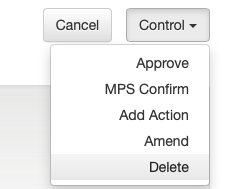
A pop-up check box will be displayed.
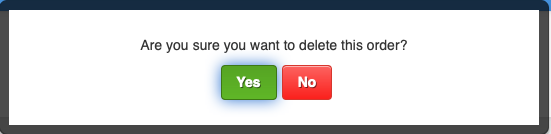
Click Yes to confirm you want to delete the order.
Delete an order has now been completed.
IMPORTANT: after an order is approved and sent to the media it cannot be deleted. You will need to either Amend or Cancel the order.
Checklist
- check order status is Requires Agency Approval.
- select the order from the orders list.
- select Control / Delete.
- the order is deleted.