

An order with a status On Hold indicates the media are unable to confirm the order. This can occur when the media have advised there is a discrepancy with the booking or there is an issue requiring attention.
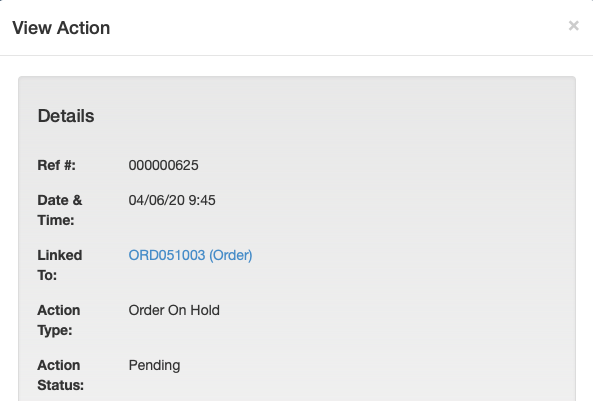
An Order On Hold action will be linked to the order and will contain details of why the media has not been able to confirm the booking.
To view the Action, click the Orders link on the left side task bar. The orders list is displayed.
Click on the required order to select it. The order view screen is displayed.
Scroll down to the Order History and click the action with type Order On Hold.
The Action pop-up box is displayed.
MPS will confirm the order when the reason for the hold is resolved.
If changes are required these can be made by amending and re-approving the order.
Checklist
- order status set to On Hold.
- check the Order History action for details.
- if changes are required, amend and re-approve the order.
- MPS will release and confirm the order when issue resolved.
- order status set to Confirmed.
