

To add a new media booking click New Order from the top task bar.
Select the Client using the drop-down list or by typing part of the client name.
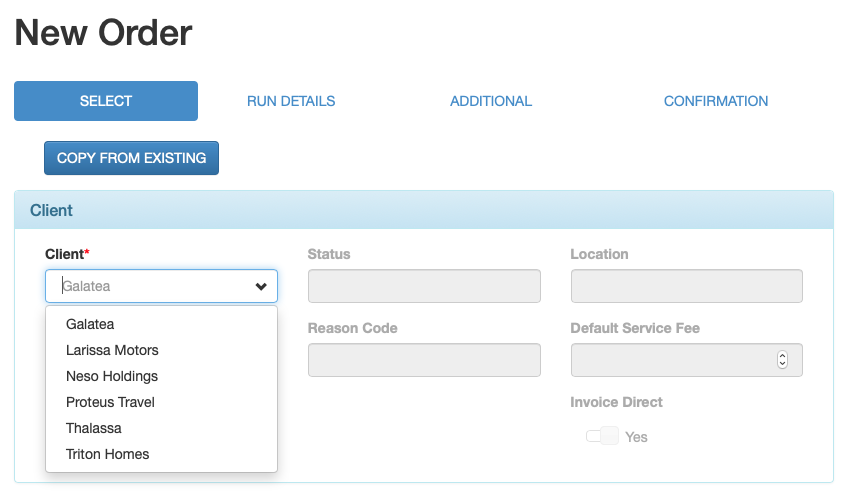
Data entry fields are marked as follows:
- White boxes are for data entry.
- Grey boxes are defaulted by the system and are display only.
- Fields with a red asterisk are mandatory.
NOTE: you can update the agent contact for an order by blanking out the default name in the Contact box and selecting another agent contact name from the drop-down list.
Select the media rep by clicking the blue Select Media Rep Contact button.

A pop up search box is displayed.
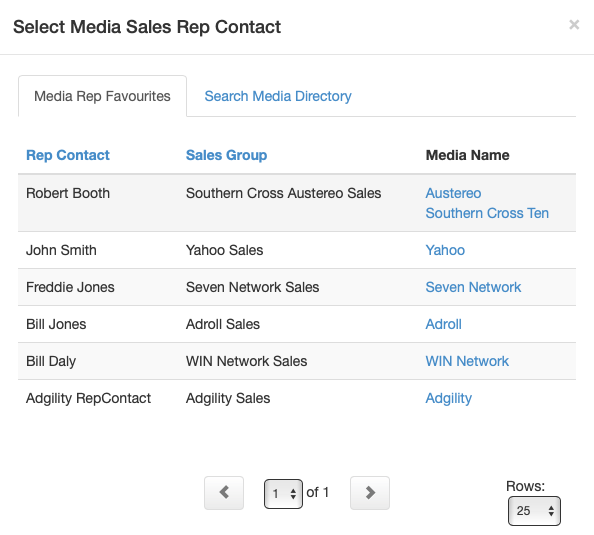
Select the media contact from your My Reps list, or search for a media contact by clicking on the Search Media Directory tab.
You can add another email recipient for the order via the Additional Rep Contact box.
Click the Continue button at bottom right to go to next step.
