

When a new order is submitted it sits in a pending state as a proposal pending agent approval. If the agent does not approve the order prior to it running it is flagged with reason code Approval Timer Expired.
The proposal can be deleted if you decide not to proceed with the booking
To delete an order click the Orders link on the left side task bar. The orders list is displayed.
Click on the required order to select it. The order view screen is displayed.
Click the Control button at top right of screen, and then select Delete.
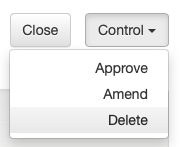
To approve the order and send it to the media, click the Control button at top right of screen, and then select Approve.

